A spy tool swaps the list of websites for ad creatives — and surfaces almost every funnel your competitors are running.
— TyverTyver spy tool: how to find competitor creatives
A spy tool is a search engine for other people's ads. Using Tyver as an example, we break down how to find competitors' working creatives in nutra, gambling and crypto — and how to pull every campaign of a single advertiser.
A valuable affiliate skill is to find competitors' working angles, study them and then use that information to create your own quality creatives. To find competitors' creatives, buyers use a special tool called a spy service.
What spy services are and why Tyver in particular
These are search engines just like Google, Bing or Yandex. Only a spy service returns ad creatives instead of a list of websites, and its functionality is far wider than a search engine's.
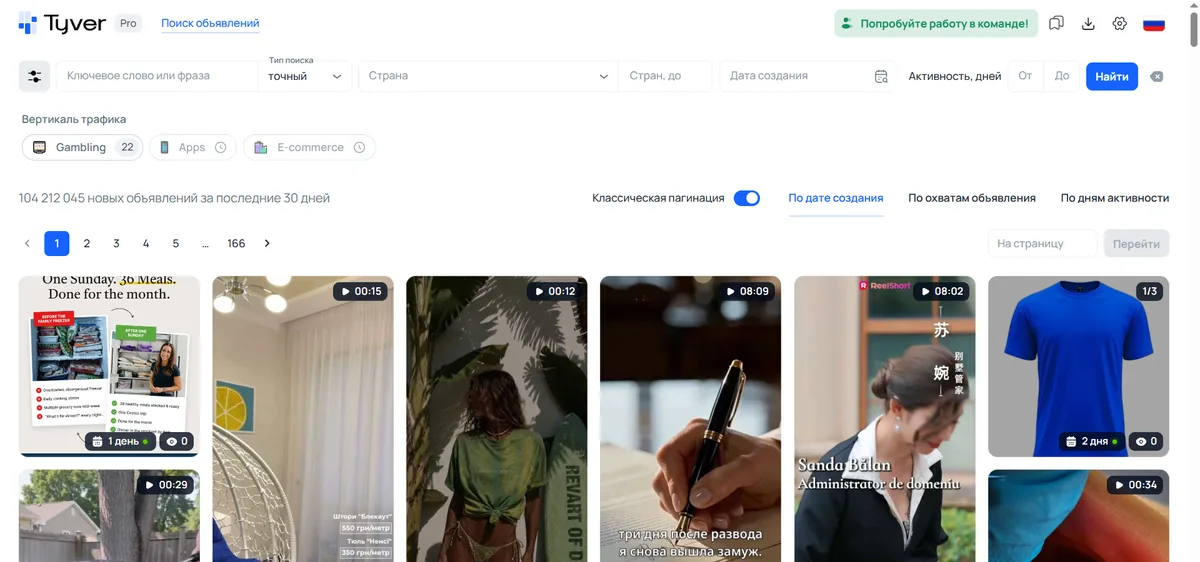
Tyver specialises in Meta placements and doesn't spread thin across other platforms. Every day it ingests over 3M creatives from Facebook, Instagram, Threads, WhatsApp and the like. That's why in Tyver you can peek at the vast majority of current affiliate funnels.
By the way, to launch these funnels you need strong, aged, high-trust FB accounts with a good history — you can rent them at LuxAccs to fully focus on funnels and not waste time hunting for supplies.
How to search for creatives in different verticals
Tyver has many search tools: by keywords, by URL fragments, by the Gambling button. There's also filtering by ad format, action types and app stores. Each vertical uses its own tools and methods.
Nutra
Nutra is easiest to search by the topic name or the offer name itself. If you search by topical keywords, use not only the topic name but also the product word, for example “remedy/capsules/pills/drops” and so on.
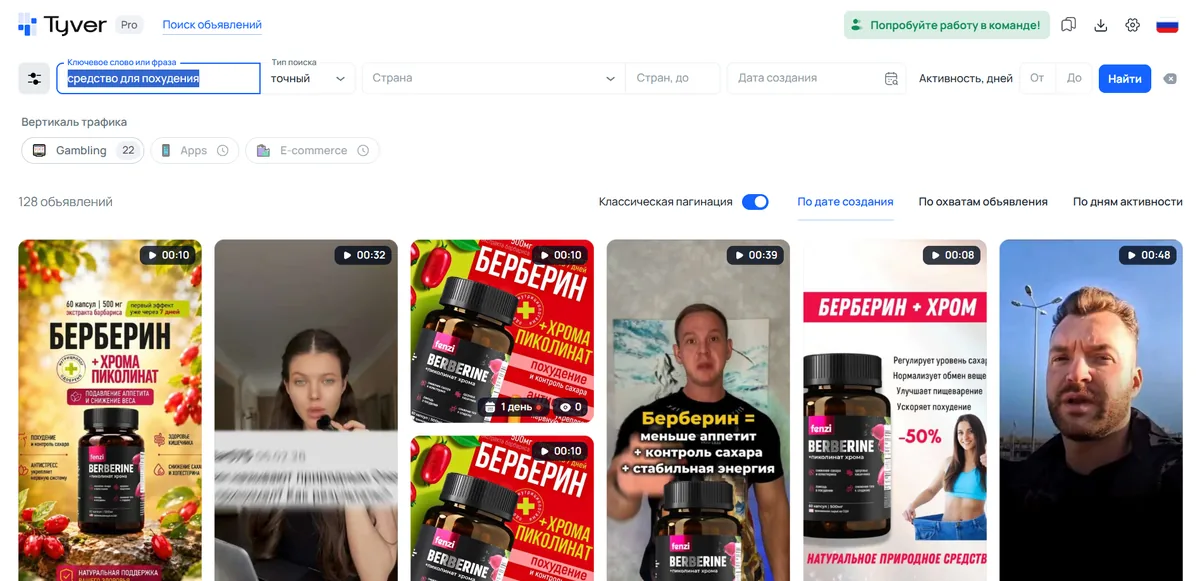
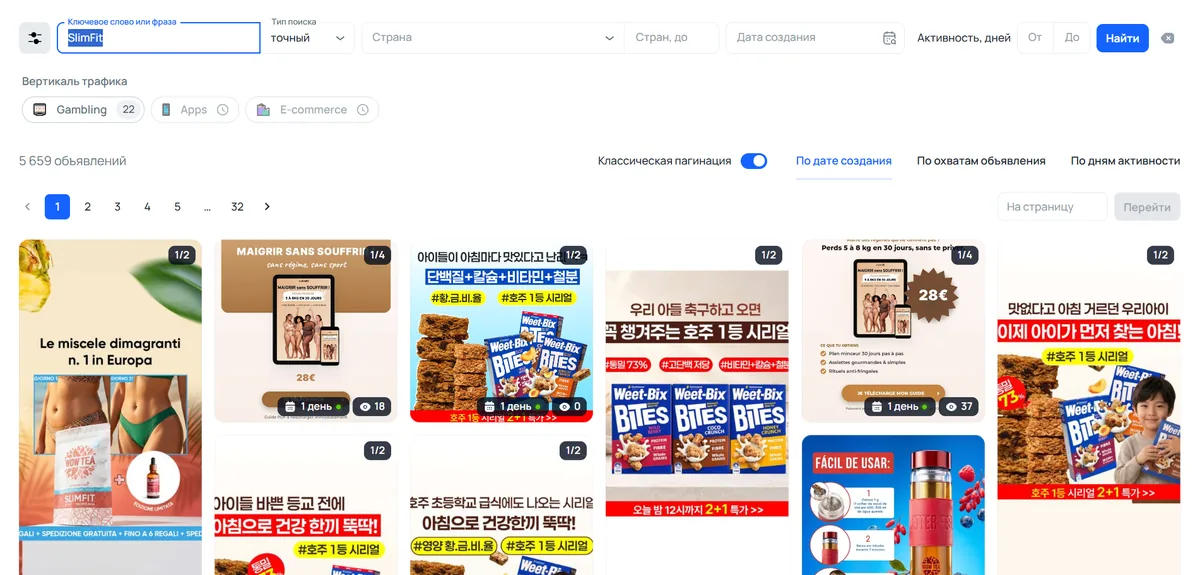
If the topic name returns off-target ads, use the offer name as the keyword.
As for filters, the most important filter for nutra is by URL fragments. Say you use the broadest keyword “weight loss”. It will bring up plenty of ads from bloggers, doctors, consultants, fitness trainers and so on. To remove those ads and keep the affiliate ads, use popular macros:
- utm
- sub
- pixel
- pix
- ad_id
- camp_id
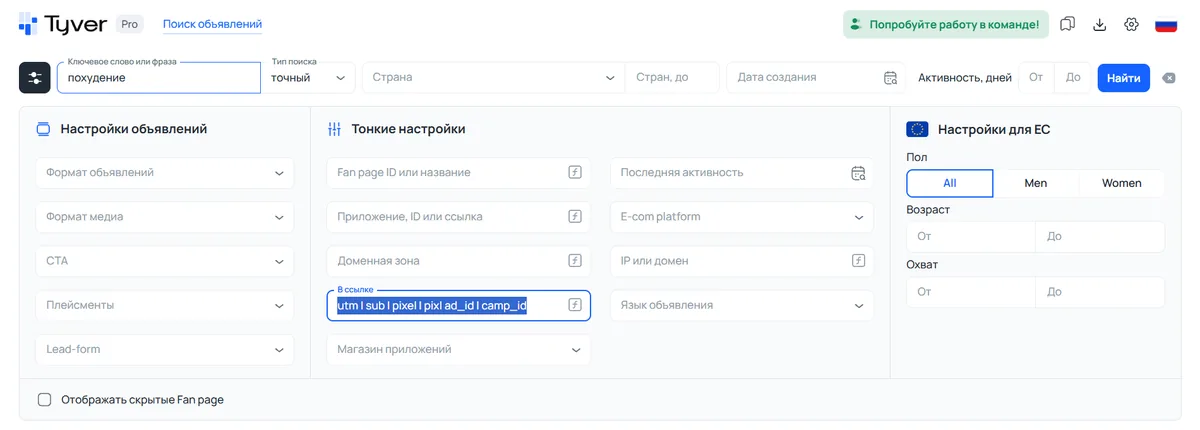
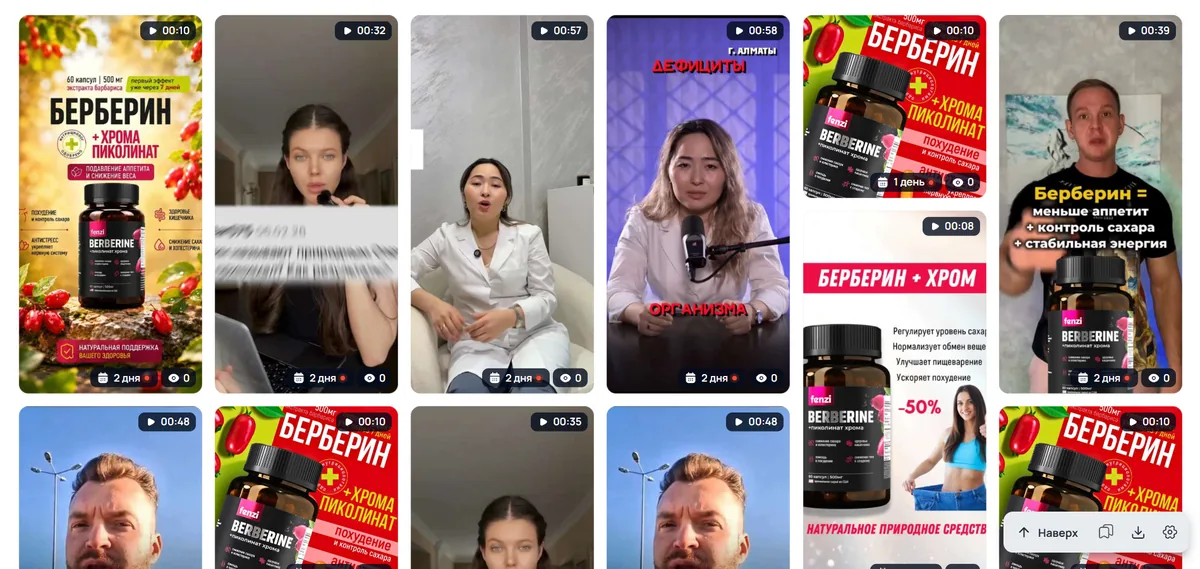
You can't remove off-target creatives entirely, but the URL-fragment filter helps cut the dead weight and find offer ads for the key query faster.
If the macros don't help filter the affiliate creatives, use not all of them but only some, or each one separately. You can also add affiliate inserts (leads, offer, shop, cpa) and even topical ones (e.g. fat, burn, slim, etc.) to the URL fragments. There's no universal recipe, so you need to experiment with URL fragments.
Gambling
Gambling offers are the easiest to find in Tyver because there's a dedicated button. Press the Gambling + Search buttons and only gambling creatives will remain in the feed.
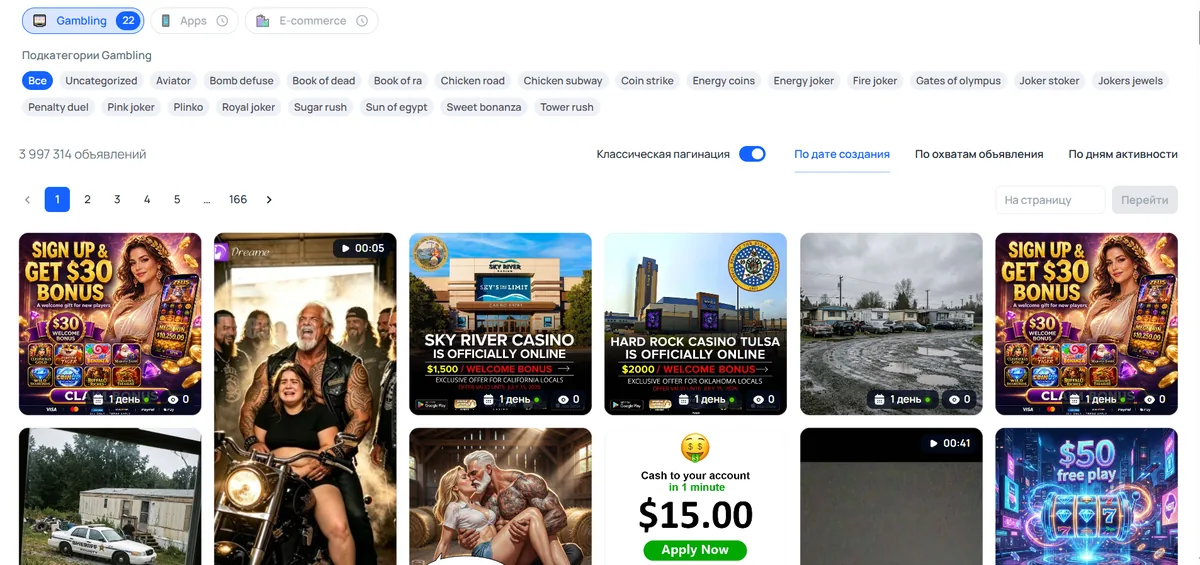
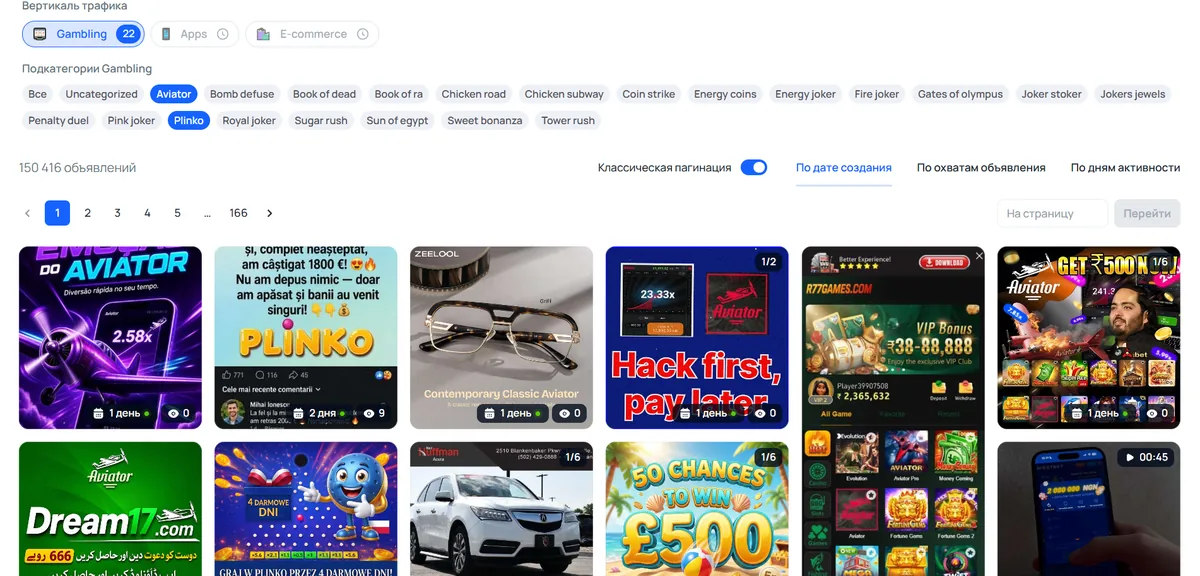
The sub-categories of Gambling are slots, which you can also search creatives by. For example, let's find creatives for Aviator and Plinko.
With the “Gambling” button you can also search for specific gambling offers. To find them, enter the offer name in the search bar, turn on the “Gambling” button and run the search. As an example, let's look for ads of the popular offer Melbet.
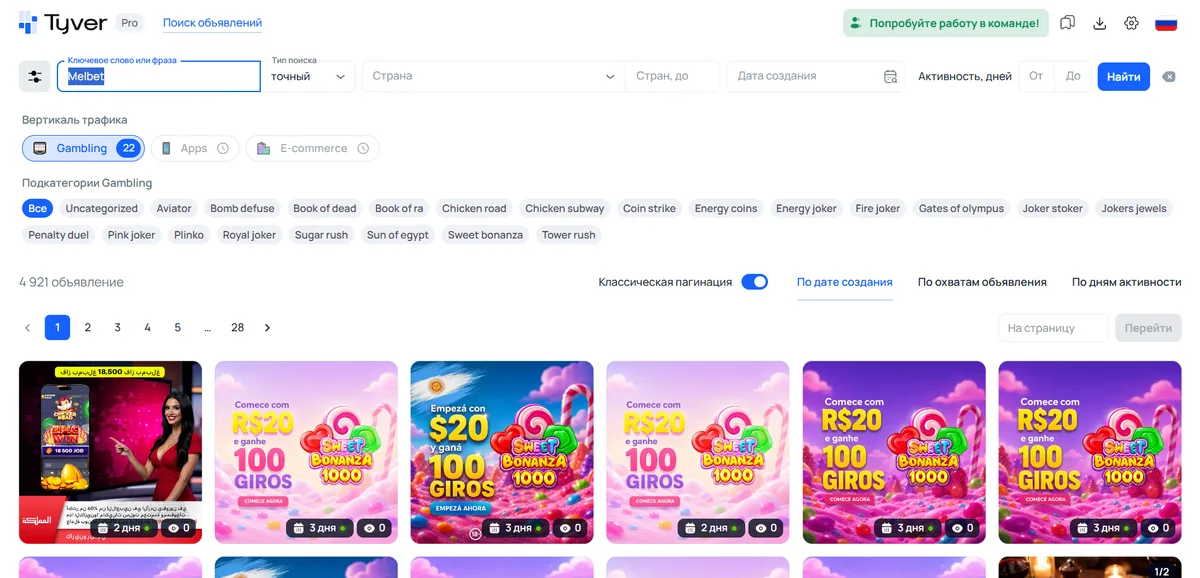
The “Gambling” button cuts out betting ads, as well as other ads that use the offer name but aren't related to a casino.
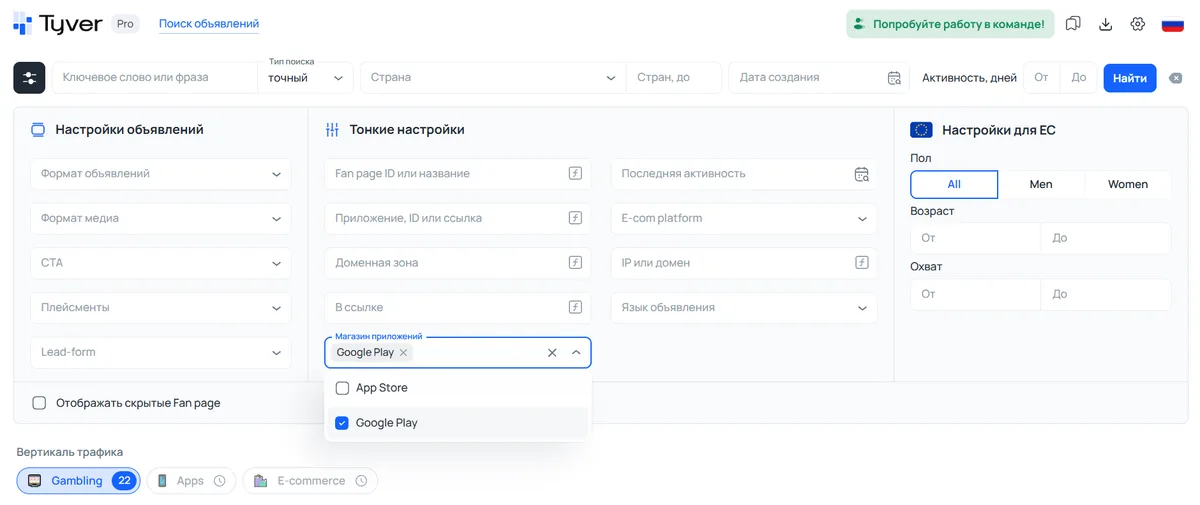
Gambling offers are often run through apps, so it makes sense to filter the feed by app stores.
Crypto
Crypto and finance offers are searched by keywords. But generic keys like “crypto”, “bitcoin”, “forex”, “invest”, “trading” return a lot of off-target ads. So generic keys need to be combined with the words affiliates use:
- $ per week
- passive income
- earn with crypto/trading/forex
- invest now
- financial freedom
- stable profit
- double your deposit
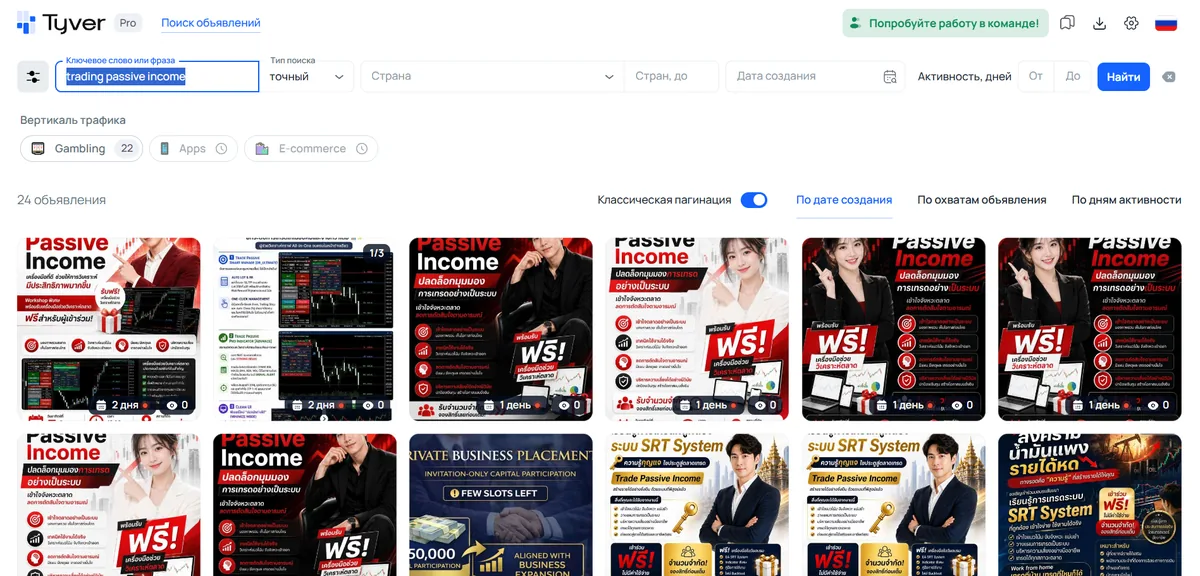
So the general formula for working keywords is: a reference to the crypto space (trading, forex, bitcoin, etc.) + earnings, income or investment. As an example, let's combine the keys trading and passive income.
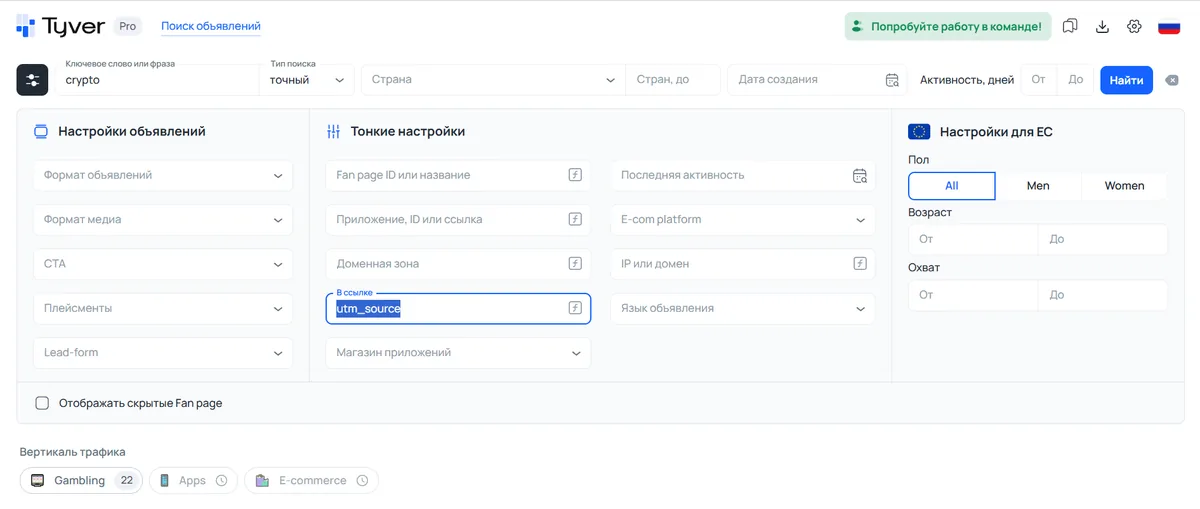
To find the maximum of relevant creatives on a broad keyword, you need to use search by URL fragments. As an example, let's search by the keyword crypto and use utm_source in the link.
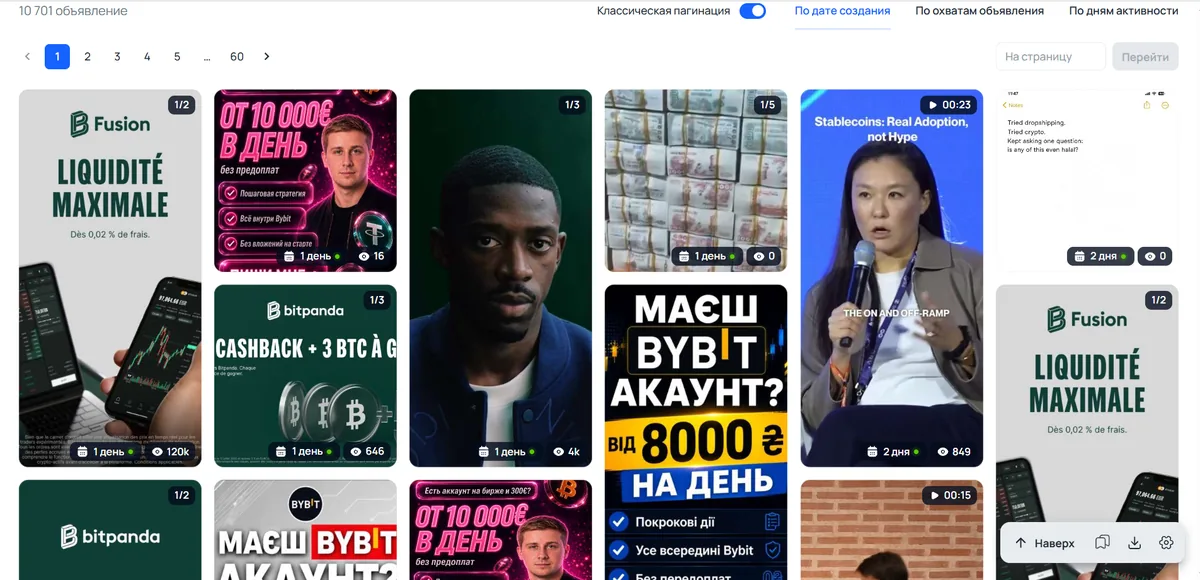
As a result, we get over 10 thousand creatives, most of which were launched by affiliates.
How to find the maximum of a competitor's campaigns
If some ad interested you, look for other creatives of the advertiser who launched it. You can find more creatives through the similar-ads section, as well as through search by URL fragments.
Search by domain and by Facebook Page
Let's open a gambling creative and scroll it down to the similar-ads section.
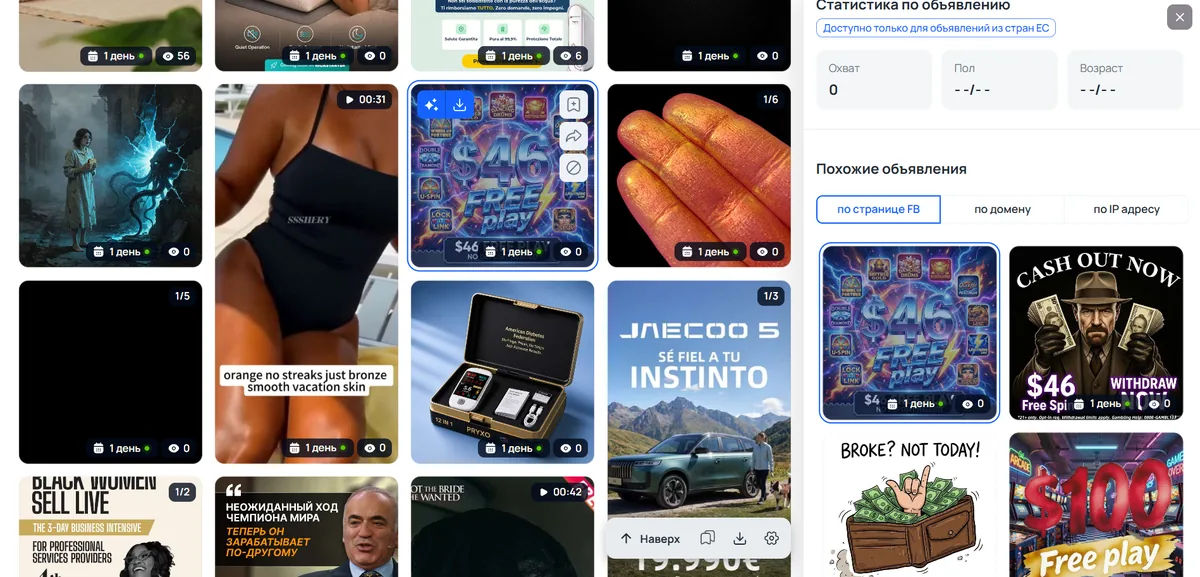
Now let's click one of the ads in this section, then click the “by domain” tab and also click any creative under the tab. As a result, pages will open with all the creatives launched from the same Fan Page or domain.

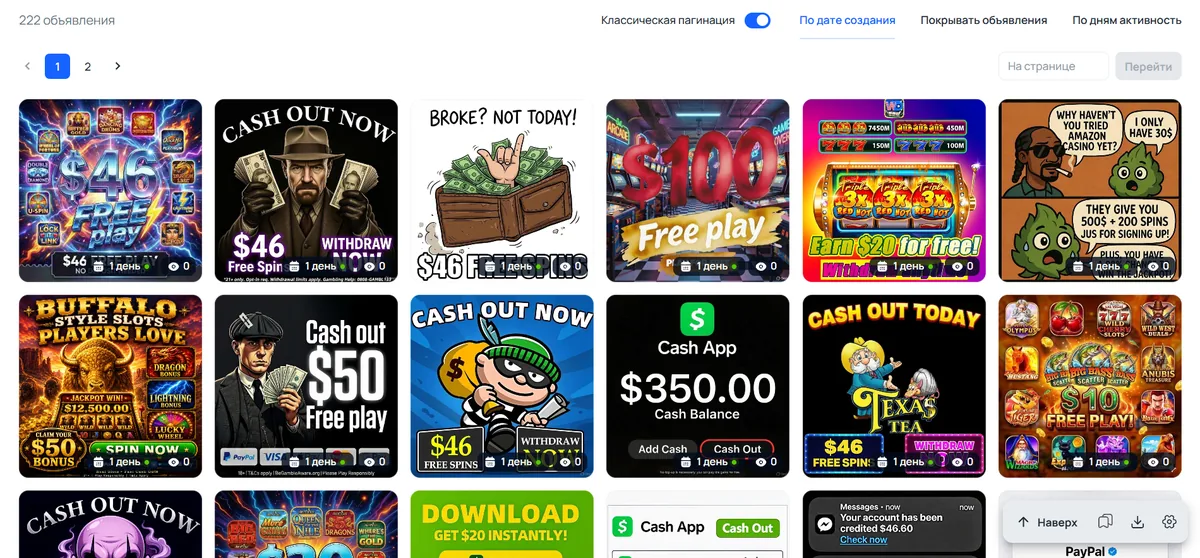
In this example, fewer ads were launched from the fan page (32) than from the domain (222).
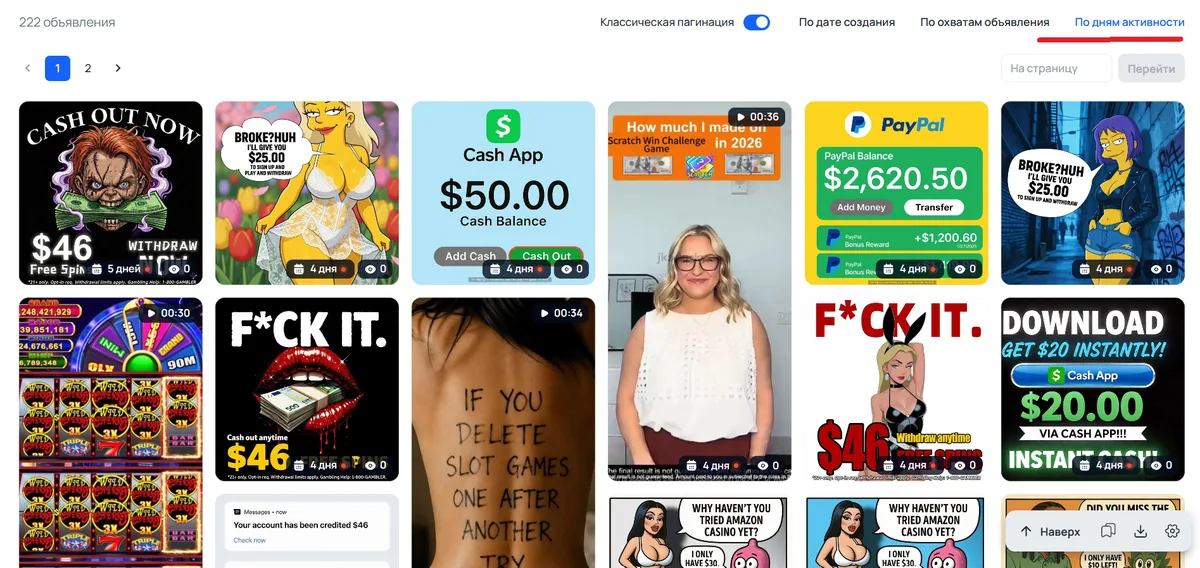
Why open and study all of an advertiser's creatives? You may find active campaigns in completely unexpected other verticals or discover some fresh angles.
But most importantly, you can understand which creatives turned out successful and which unsuccessful for this advertiser. For that, apply sorting by days active: the creatives that come to the top ran the longest, which means they turned out more effective than the rest.
Finding similar ads by URL fragment
For such a search, you first need to expand the creative's link and copy one of its identifiers. Most often this is the pixel ID.
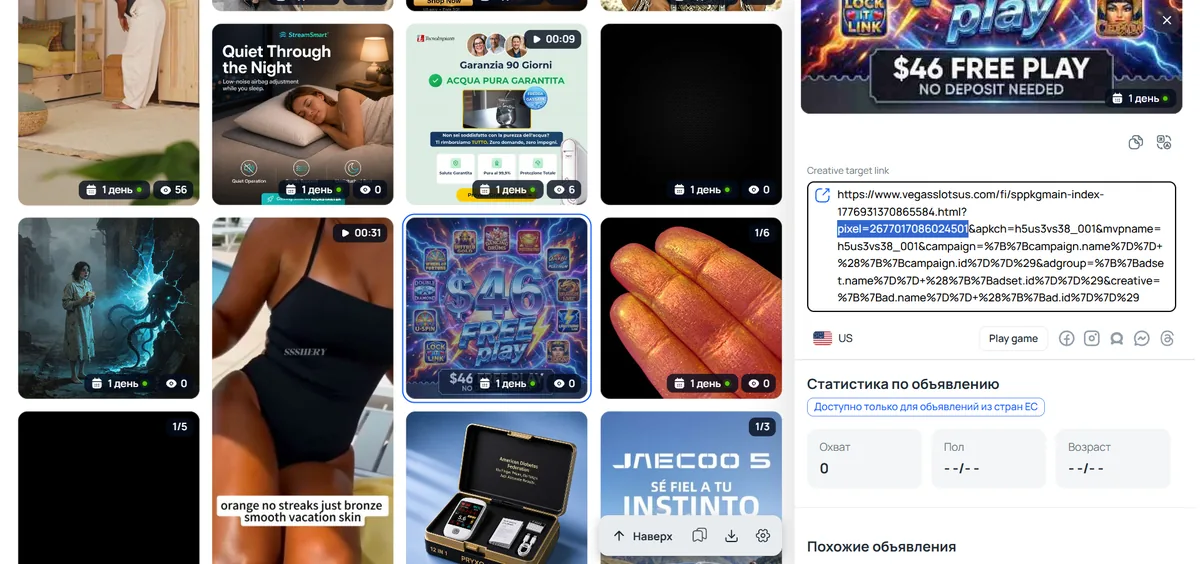
We open Tyver in another tab and search by that same pixel with no keywords.
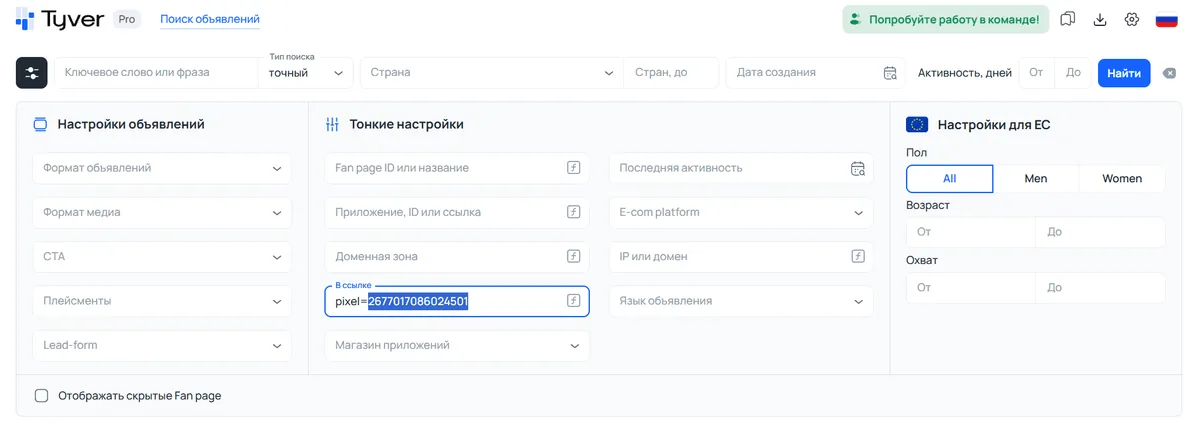
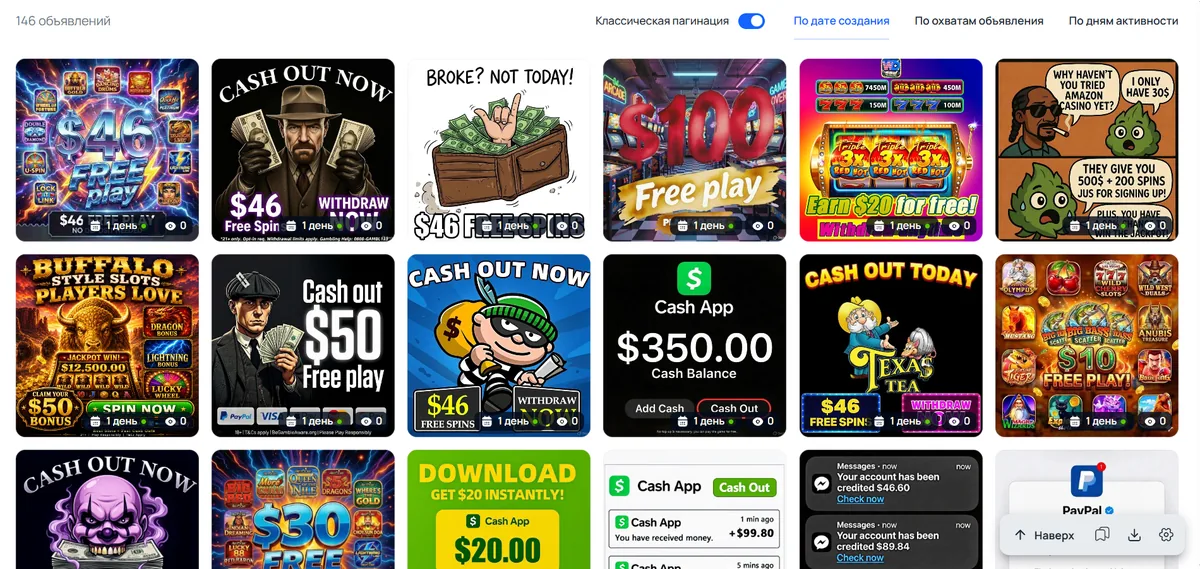
Searching by pixel ID gives creatives on the same casino topic, but launched from different fan pages and domains.
In closing
Tyver lets you quickly find the creatives you need in many affiliate verticals. It's built for Meta platforms and therefore helps a lot when working with FB. Tyver lets you study a specific advertiser and pull out a lot of valuable intel. The main thing is to use the toolkit wisely — targeting, filters and search settings.
Ready to put this into practice? Get an agency account today.
Get an Account Today →